Android WiFi File Transfer alternatives
Android WiFi File Transfer is a useful tool for connecting and managing files in your Android device by means of Wi-Fi. It enables you to upload and download many files simultaneously, delete, compress, rename, and extract the file through File Explorer. It runs in the background, and you can work with other applications without compromising performance due to the overconsumption of system resources.
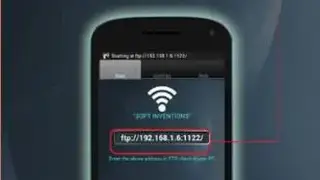
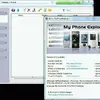
The steps to start using it are pretty simple, and most users will be already familiar with it. The first step involves connecting the PC and smartphone to the exact same Wi-Fi network, Access Point. Once that’s done, you will have to tap the Wi-Fi picture inside the app on your smartphone to receive the IP address and port for connections. The third stage includes inputting the username and password for FTP. Lastly, use the PC File Explorer to open the file and folder on your smartphone to edit all the folders and files, similar to how work is down when using the PC.