Home Office & Productivity Tool

Anyline Document Scanner alternatives
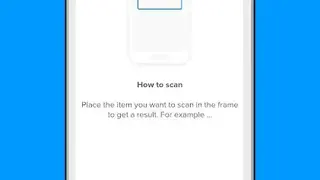
Anyline Document Scanner is a handy tool for iOS devices that allows individuals and businesses to scan documents and export them in PDF format for later users. You can begin by specifying the scanning target and wait until it performs the job. The best feature is that it can be used without needing an internet connection and has a brighter display to help you fulfill the task with great ease. All the scans are done in a secure and controlled environment, so there is no need to worry about data loss.
The captured scans are processed and saved on the device until they are uploaded. The confidential data won’t be shared with anyone. The app offers a bunch of features like Exporting to Dropbox, Google Drive, Evernote, Whatsapp, Batch Scanning, Scan preview, Scan of Color Documents, Edge Detection, Scan Crop, and Scan Rotation.
Moreover, the solution is simple to understand, and you won’t have to worry about arranging documents while the scanning is underway. It is programmed to scan documents of all sizes and shapes. It automatically detects the DIN formats during scanning. You also have the option to manually capture the format and then store and scan to the device storage or export for later use.