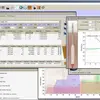
QBrew is a simple and non-complex solution that comes with all the tools that you need to formulate and manage recipes for stouts, ales, and lagers. It is a powerful management program developed to assist individuals with their hobbies. It supports import in QBREW, XML formats, and for export, it allows the usage of QBREW, HTML, TXT, XML, and PDF files. The interface is user-friendly, minimal, and enables beginner and experienced people to work without difficulties.
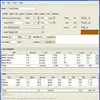
Furthermore, the UI comes with a basic window inside of which you can put the information related to your recipe. The solution consists of a large database of styles, grains, and hops of brewing, making it easy for those who are just starting out to get familiar with all the required information. It also gives everyone the right to modify existing items and add new ones to the library. When creating new recipes, several details have to be entered, such as brewer name, brewer’s style, and title.
The app does its best to guide you by displaying the characteristics of the beer’s style. This means that it will show the min and max gravity, color, bitterness, and calculate FG and alcohol by weight and volume. Use the settings panel to select between skins, modify measurement units, allow auto-save and backup of full data, implement Morey color calculations, tinseth bitterness, and control hop type. It also enables everyone to manipulate the calibrated and sample temperature to receive the accurate hydrometer reading along with the original and final gravity to get weight and volume.