Capture Fox alternatives
Capture Fox is an extension for the Firefox browser, facilitating the Firefox users to record video files from their screen. It is very effective to make tutorials and demonstrations. With this, you can capture the entire screen, Firefox window, or browser. Besides, it offers you to choose a video quality profile between low, moderate, or high. It is a Firefox add-on and a handy tool to create tutorials about software, a website, or anything that can be displayed on your computer. It records your screen frame by frame. You can also record your voice. Capture Fox is only supported on the Microsoft Windows platform and runs within the Windows version of Mozilla Firefox to work with all Firefox versions up to and including 6.
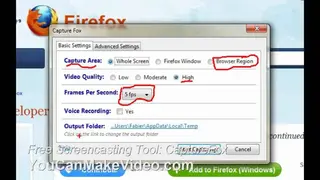
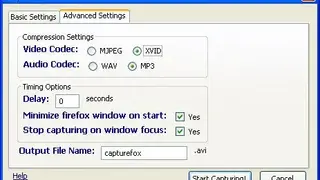
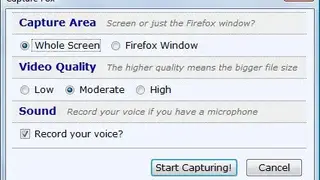
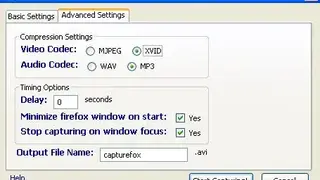
The video is captured using the Motion JPEG or Xvid. The sound is recorded in the WAV or MP3 audio format. The video is output as an AVI audio/video file. Frames per second can be set to a value between 1 and 5. This Firefox video recorder can be downloaded free from the Mozilla Add-ons page. This tool is created to provide recording mainly on the Firefox platform. The features that you can get with this add-on include the capability to record your screen and audio. And the recorded clip will be saved in AVI format. It also has different recording modes that could capture the “Whole Screen,” “Firefox Window,” or “Browser Region.” Plus, you can set video quality from low, moderate, to high according to your preference.