CPS Font Viewer alternatives
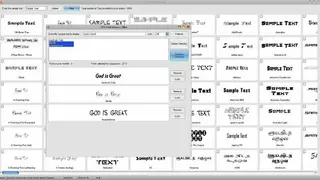
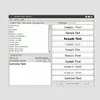
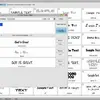
CPS Font Viewer is designed for those designers and developers who want to check the characteristics of any font for their designing tasks. It will make you able to get the preview and other details of the installed fonts in your system. There will be a small preview window from where you can see how the fonts look you have selected.
The filter system of CPS Font Viewer is outclassed that allows its users to see the samples for the text that users need to apply. The method for customizing the selected fonts like background color adjustment, text color adjustment, styles, font sizes, and few others are also allowed. So, the main advantages of using CPS Font Viewer is that you can get your desired font in your designed planning because of the availability of customization system.
Some of the features of CPS Font Viewer that make it recommended for all kinds of projects and these are lightweight requires heavy system configuration, easy to use, user-friendly interface, a system for customization to get the desired result, etc. If you want to use this font viewer then, you will be required to install Windows.NET Framework 4.0.