Home Audio & Music

iJingle alternatives

Free 4 alternatives

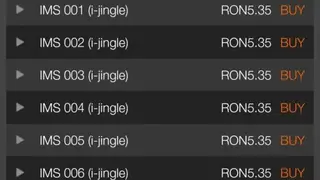
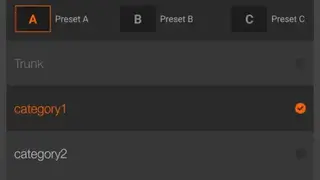
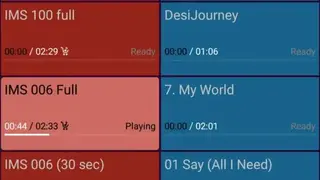
iJingle is an app for smartphones and tablets where you can listen to music, podcasts, or any other audio files. The app comes with a graphical interface with a simple-to-use material design. Complete information of the audio tracks is displayed such as running time, artist details, etc. Aside from simple configuration options such as adjusting volume and changing playing speed, etc., you are also given advanced features such as manipulating in and out loop points, auto and manual cues, fading options, and ducking options.

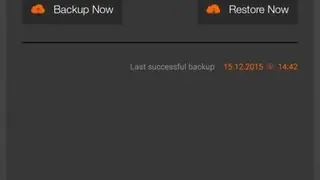
Some additional features include a search bar, cloud backup and restore service, email registration, user-help, in-built audio store, track buying, custom playlists, shuffle play, and much more.
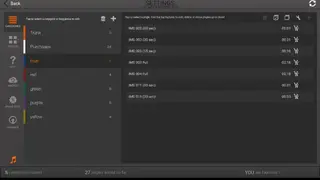
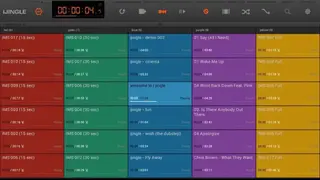
iJingle screenshotiJingle screenshotiJingle screenshotiJingle screenshotiJingle screenshotiJingle screenshotiJingle screenshot

Ranked alternatives

  1. 3

    Soundplant is a music software that allows you to turn your standard computer’s keyboard into a powerful music tool where you can edit audio and create or test sound effects among many other things without requiring any hardware. This software can play sound files in any format which can be assigned to any key on the keyboard. It can even be used as a musical instrument such as a drum pad or an electronic guitar and is helpful for both learning and real-life use in the studio, podcasts, parties, television, and theater. Etc. Some of its amazing features include Graphical material design, real-time audio frequency display, strong custom support, drag, and drop function, visual depiction of sounds, multiple sound file format compatibility, and keyword shortcuts.

    Soundplant alternatives
  2. 4

    QwertyGO is a music software that makes your keyboard act like a music tool that can make dynamic changes in an audio file from adjusting the pitch to adding sound effects. In addition to this, it can also imitate several musical instruments making it equally useful for DJs, musicians, and music teachers, etc. This software comes with strong configuration options that enable you to adjust the appearance, fades, and loops.

    Users are even given a fair degree of flexibility as it supports different keyboard layouts and can import files in FLAC, AIFF, WAV, OGG, and MP3 formats. Graphical UI, plugins support, channel output options, cut/copy and paste option, undo button, add queues to a single key, midi device support, and visual representation of sounds are some of its key features.

    QwertyGO alternatives
  3. 5

    Soundboard Studio is a sound editing app that allows you to prepare special sounds for your show, broadcast, studio, or any occasion. It can be used for creating tracks, intro and outro of the show, comedic content, and so much more. It can help in adding background music, voiceovers, and special effects such as the sound of applause, crickets, drums, cheering crowd, and ticking clocks, etc. You can even trim sounds, loop them or manipulate their fade.

    The app comes with many configurations allowing you to add names, change appearances, color, and playlist of each of your audio files. Some of its other modest features include solo play, graphical material design, automation, multiple soundboards, drag, and drop function, multitasking, import track options, silent mode, thumbnail addition, and the ability to play multiple tracks concurrently.

    Soundboard Studio alternatives
  4. 6

    Farrago for Mac is a sound app for Mac OS that allows you to create and edit audio files. It can be used both for personal enjoyment and for professional reasons such as preparing a track and sound effects for a show, live performance. Among the many changes users can make is adding background music, voiceovers, recorded sounds, and adjusting sound playing speed, fade, and pitch, etc. These sounds can be imported from any third-party platform. You can create unlimited sound sets and arrange them in order where you can play them individually or collectively. Some important features of this app include automation, play/pause button, graphical UI, animations, smooth window transition, solo play, configuration options, data save, dark theme, shortcut keys, and MIDI support.

    Farrago for Mac alternatives