Home Education & Reference OS & Utilities Tool

MollyCule alternatives
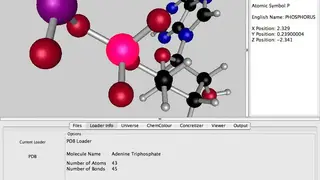
MollyCule is a multi-platform, feature-rich chemistry visualization program that can run and is tested on Microsoft Windows, macOS, and Linux operating systems. It enables everyone to navigate Chemistry with great ease. Students and teenage scientists will love its many intuitive and easy-to-use features. Normally, you have to use complex mouse-gesture systems and keyboards to visualize molecules from various positions and angles.
Unlike Traditional chemistry packages, MollyCule doesn’t trouble you with this, and you merely have to point the cursor, click, and that’s it. It will automate all the time-taking tasks related to looking at molecules and reduces the hassle by moving you around the molecule with the help of animation. Animations are produced in real-time and can be utilized in a presentation, during class teaching, or at home to have fun.
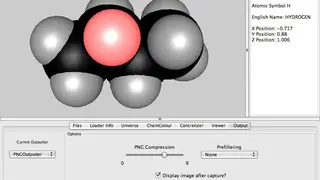
The program is multi-purpose and can be used as a screensaver, thanks to the “Drifter” mode included within. Everyone can take advantage of its plug-in design to adjust and use the solution according to their requirements. You are free to explore and download molecules from the web, and after that, save them to the disk and perform multiple actions on them as you please. Another great feature is that it provides the capability to produce visually appealing pictures for essays and reports. Once the picture is set, it can be saved in either JPG or PNG format. There is no need to be well-versed in the field of chemistry or with technicalities related to computers. The software offers a simple and easy lightning system and provides an easy-to-use control panel.