Splice Video Editor alternatives
Splice Video Editor is a video editor through which you can trim clips and add effects on them. It lets you tap to edit the video and automatically synchronizes videos with the songs or music. You can apply various filters and adjust the background colors of your videos. The app allows you to add titles and text overlays to videos.
You can also change the orientation of videos and crop the size of photos and videos accordingly. The transition feature includes a selection of transitions and the speed of transitions change. The built-in voice recorder also lets you add narration or custom sound effects to videos.
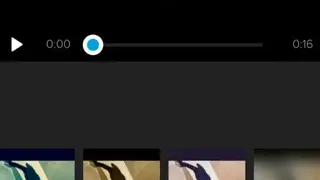
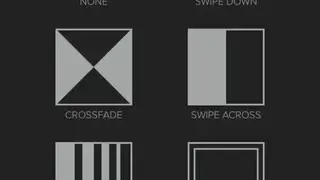
Splice – Video Editor & Maker includes many transitions such as swipe down, crossfade, blur, and swipe across, etc. The interface contains a trim button, a button to add effects, and a button to choose the speed of videos. Having this video editor, you can easily create slo-mo videos and share them with your lovely ones.
The sound button allows you to add sounds to videos and you can also mute the music of the video. Splice Video Editor also lets you add music to footage from the phone’s storage or also choose music from the iTunes store.