Home Office & Productivity Simulation Tool

Auto Clicker Typer alternatives
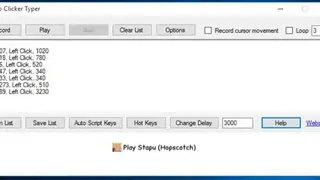
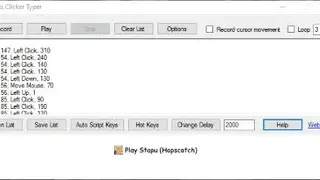
Auto Clicker Typer is a handy tool that allows you to record all the keyboard actions and mouse clicks and then replays it for you, meaning it will execute all the actions that you executed from the computer. It can carry out complex tasks and enables everyone to automate repetitive jobs. It has a clean User Interface with a “record” button that records every mouse click and also captures cursor movement. To suspend the recording, click on the “stop” button, and it will halt.
The recording will show up as a script in the box, and you can run it by clicking on the “Play” button. Pause/Stop anywhere during the play by pressing the “Stop” button. It is also possible to have the script run again and again by checking the Loop box and typing the desired value. To permanently save the script to a file, hover to the “Save List” button and click it.
If you don’t want to retain it, click the “Clear List” button and start making a new recording. Play previously saved list by clicking the “Open List” button. Auto Clicker Typer includes a powerful feature named Auto Script keys that makes it easy for you to set hotkeys for a maximum of 10 saved scripts and invoke the desired script anytime by pressing the hotkey.