Home File Management Office & Productivity

Doo alternatives
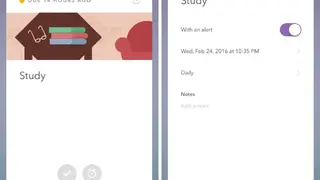
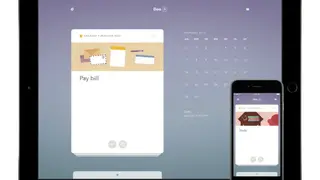
Doo is a simple and easy-to-use application and makes completing tasks quick and seamless. It comes with a clean and minimalist design that gives the app an organized feel. At the top of the app, you will see a list of present and incoming day tabs that you can use to organize your tasks as each task is listed under its respective tab. You can prioritize each task with either a star or a number next to it for easy organization.
This is extremely helpful if you have multiple things to do during the day. Underneath each task is the slots that are used for adding notes about the task at hand. This provides context for picturing what that specific task entails without leaving your list view. For the more visual person, Doo provides a great way to break tasks into bullets. This is a great way to organize complex tasks that require a lot of steps.
Other great productivity features are tagging, color coding, folders, and subfolder. Add dates, location, notes, and other info along with the task. Besides that, there is a biometric security feature, too, which is great for privacy. Share reminders using iMessage, email, or any other text-based service ad all these changes will sync to all devices. All in all, Doo is a great tool that you can consider among its alternatives.