Import Auto-Complete List for Outlook alternatives
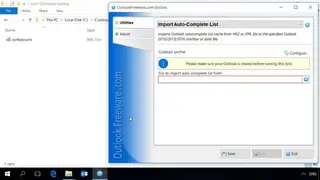
Import Auto-Complete List is a freeware, feature-rich tool for Outlook that you can use to import MS-Outlook list cache from either XML or NK2 file to the desired data file or Outlook mailbox. By default, Outlook doesn’t offer functions for restoring backups of Auto-Complete Lists. And the worst part is that there is no method for you to run Auto-Complete Lists from files externally. With the help of this powerful tool, you can import lists in the mentioned formats into Outlook 2010 and higher releases. In the newer editions of Outlook, Auto-Complete lists are saved in the mailbox of the user, meaning every account possesses its Auto-Complete list.
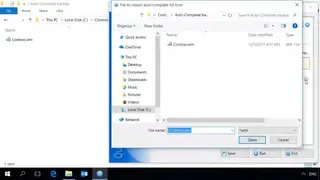
You can migrate the AutoComplete List from older versions of Outlook to the latest editions by simply choosing the NK2 file and picking the destination data file or mailbox. It is recommended to exit Outlook before importing the Auto-Complete Lists. Failure to do so may result in the disappearance of imported data. Three options are provided for importing Auto-Complete Lists. One of these is the insertion of new data, which only imports attribute that is non-existent in the Auto-Complete List.
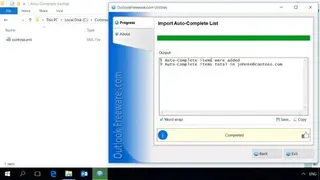
A comparison of e-mail addresses is initiated to ensure non-redundancy and identical elements are automatically skipped. This mode allows you to import various files in a smooth fashion one by one, and only non-identical addresses are added. Another method is the update mode, in which the solution adds newer contacts and updates available data like Exchange Server address or user name. Lastly, the replace mode replaces the available Auto-Complete List with imported information.