Home Office & Productivity Tool
PDF Cutter alternatives
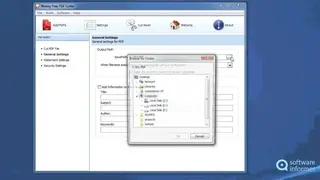
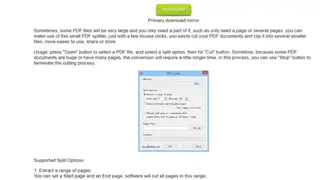
PDF Cutter is a pdf document splitting software that helps you to quickly split the pdf files by utilizing three splits methods with simple and custom requirements. Sometimes, pdf contains very large or lengthy pages, and they need to be split specifically. The users can make use of this small pdf splitter with a few mouse clicks. Basically, the readers can cut the pdf documents and clip them into several smaller files, easier to use, share, save or store. For usage, press the open button to select a pdf file, then select a split option, and hit the cut button for a unique separate product.
Some large files often take a long time as compared to short pdf documents, and the user can use the stop button to terminate the cutting process. Extract a range of pages allows to set a start page and an end page that can be managed by software as by default setup. Multiple continuous page extraction helps to cut any page, list by page number and separated by commas. Each page extraction to a standalone file needs to select this option, then the readers need input and output folder, and all output files named with particular filename page.